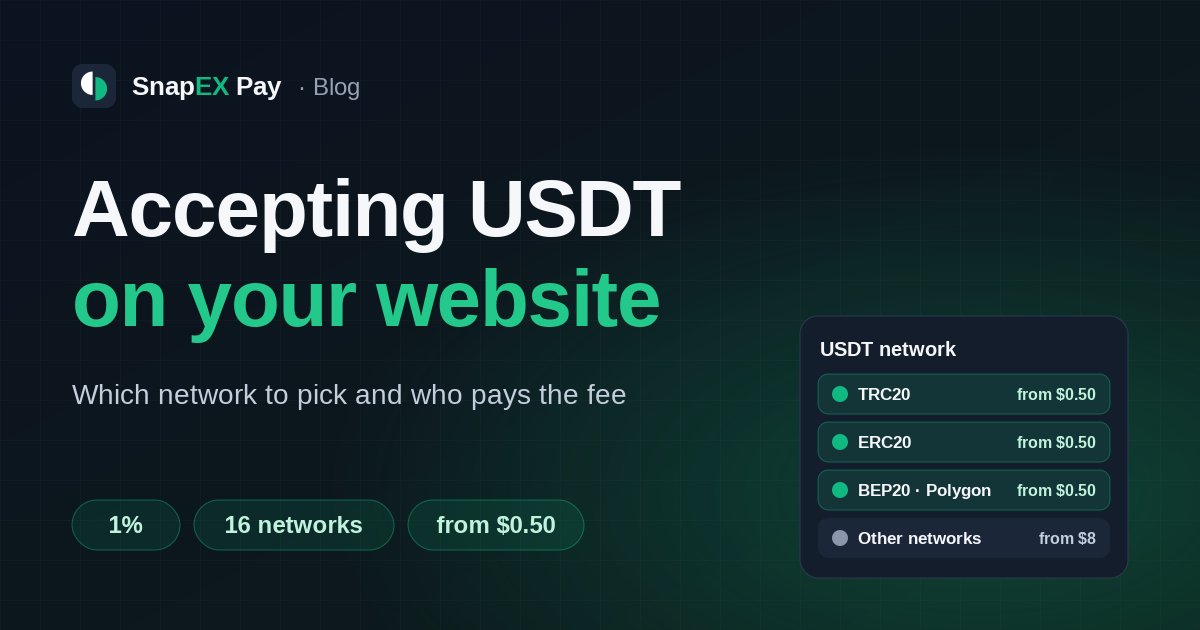
This article is for a website owner who wants to take payments in USDT: a shop, a service, a subscription, a game or donations. The first question is usually not "how do I connect it" but "which network do I pick". USDT is issued on many blockchains — TRON, Ethereum, BNB Smart Chain, Polygon, Solana, TON and others. The coin is the same everywhere, but addresses, network fees and transfer times differ, and a transfer sent on the wrong network will not arrive by itself.
The good news: you don't have to pick one network for your customers. In SnapEX Pay the customer chooses the network on the payment page, and USDT lands on your balance either way. Your job is to know which networks suit your amounts and to tell customers where to start.
- 16USDT networks on the payment page: TRON, Ethereum, BNB Smart Chain, Polygon, Solana, TON and others
- $0.50smallest invoice in USDT TRC20, ERC20, BEP20 and Polygon — our own addresses
- 72 hto top up if a customer sent less than the invoice amount
USDT networks in SnapEX Pay: what works where
The networks fall into two groups. On four of them USDT comes to our own addresses — that's where minimums are lowest and permanent addresses are available. The other networks work through conversion: the customer pays on their network, and USDT lands on your balance, just as with any other coin.
| Network | How it is accepted | Invoice from | Permanent address |
|---|---|---|---|
| TRC20 (TRON) | To our own addresses | $0.50 | Yes |
| ERC20 (Ethereum) | To our own addresses | $0.50 | Yes |
| BEP20 (BNB Smart Chain) | To our own addresses | $0.50 | Yes |
| Polygon | To our own addresses | $0.50 | Yes |
| Solana, TON, Arbitrum, Optimism, Avalanche, Aptos, Scroll, X Layer and others | Through conversion | $8 | No |
The list of conversion networks depends on the provider and changes from time to time: the payment page shows only the networks a payment can go through right now. On some networks it is USDT0, the version of USDT for those blockchains; it is credited to you just like regular USDT.
Who pays the network fee
A USDT payment involves three different amounts that are often confused: the network fee, the service fee and the network buffer.
What a payment is made of
- The network fee for the transfer itself is paid by the sender. How much it is depends on the network and on where the money is sent from: a wallet charges the network fee, an exchange charges its own withdrawal fee. Transfers on Ethereum are usually more expensive than on TRON, BNB Smart Chain or Polygon, but the customer sees the exact figure in their wallet or on the exchange before sending.
- The SnapEX Pay fee is 1% per payment, with no monthly charge. In the invoice you choose who pays it: "Merchant" (1% comes out of the amount) or "Customer" (1% is added on top).
- The network buffer is a small amount for moving the money on from the payment address. On our four networks it follows the real cost of the transfer: a $1 invoice in USDT TRC20 brings you $0.96, including the 1% fee. On conversion networks the buffer is $0.40. If the customer pays the fee, the buffer is added to their amount too.
On a very small invoice an expensive network may not be shown: if a transfer on it would eat too large a share of the amount, the page won't offer it, and the customer picks another one.
Which network to suggest to customers first
On the payment page USDT TRC20, ERC20 and BEP20 come first; the other networks are under "All coins" and in the search. But customers arrive from your website, not from our page, so it's worth giving them a hint on your side too: by the pay button, in the cart, in the FAQ.
- Exchange users
Start with TRC20 and BEP20
If your customers keep USDT on an exchange, suggest the network their exchange charges least to withdraw on. Most often that's TRON or BNB Smart Chain, but exchange fees differ — check their withdrawal page.
Fits shops and services with customers in many countries.
- Small amounts
Our own networks only
Invoices under $8 can be paid only with what we take on our own addresses: USDT TRC20, ERC20, BEP20 and Polygon, plus LTC, ETH, TRX and BTC. For two-dollar subscriptions and small top-ups, point customers to these.
Fits games, bots, VPNs and cheap subscriptions.
- Donations
One network on a permanent address
A permanent address is on one network, and you can put it on your website. Pick one of the four networks and label it right next to the address: "USDT, TRON network (TRC20)".
Fits donations and top-ups without an invoice.
- Own wallets
Solana, TON and others
The customer has a Solana or TON wallet? Nothing to set up: on invoices from $8 they'll find USDT on their network on the payment page through the search.
Fits audiences that live in one ecosystem.
Keep Ethereum (ERC20) too: some customers hold their USDT exactly there. Just don't put it first in your hint if your amounts are small.
The network has to match
The costliest mistake is sending USDT on the wrong network. On the payment page the customer picks the network first and only then sees the address, the QR code and the exact amount. Ask them to pick the same network they will send on — especially when paying from an exchange, where the network is chosen separately in the withdrawal form.
A permanent address accepts only supported tokens on that address's network. Any other token is not credited automatically and can be returned only through support.
A hint for customers — you can paste it on your site
Paying in USDT: on the payment page, choose the network you will send on (for example, TRON / TRC20) and transfer the exact amount to be received. If you pay from an exchange, pick the same network in its withdrawal form and keep in mind that the exchange may deduct its fee from the amount.
When less arrives
Exchanges often take their withdrawal fee out of the amount itself, and less than the invoice reaches you. The invoice then gets the "Underpaid" status, and the customer can top up the rest to the same address within 72 hours. No top-up — the invoice becomes "Partially paid", and the part received is still credited to your balance. How to handle this is covered in the guide The customer sent less than the invoice.
Payouts: a network choice too
Your merchant balance is in USDT. Withdraw it from the dashboard right away, with no holds or reserves: in USDT or another coin, to your crypto address. There is no service fee for withdrawals, only the network fee. The minimum depends on the network:
- USDT ERC20 — from $0.50;
- USDT TRC20 — about $7.7;
- USDT BEP20 — $10.
The dashboard shows the exact minimum in the withdrawal form. Before withdrawing, check that the receiving address is on the same network: a transfer on another network can't be returned.
Checklist before launch
Before you add a "Pay in USDT" button
- Amounts: if you have invoices under $8 — a hint about TRC20, ERC20, BEP20 and Polygon.
- A network hint sits by the pay button or in the FAQ.
- The 1% fee: decided who pays it — you or the customer.
- A permanent address, if you use one, is labelled with its network.
- Underpayment: decided what you do if less arrives.
- A test invoice paid in Test mode — you've seen the page as a customer does.
- A payout address is ready, its network and minimum are known.
- The rules: you've checked with a lawyer what accepting crypto requires in your country — it differs everywhere.
Where to start
Sign up at pay.snapex.pro — only a login and a password, no documents and no KYC. For the first sales a payment link from "Invoices" is enough; for a shop there are ready-made plugins (WooCommerce, CS-Cart, WHMCS and others) or the API. If you have no registered business yet, see Accepting payments without a company, and if your customers are abroad — Customers abroad.
USDT works well as a second payment method next to cards — for the customers who find it easier.