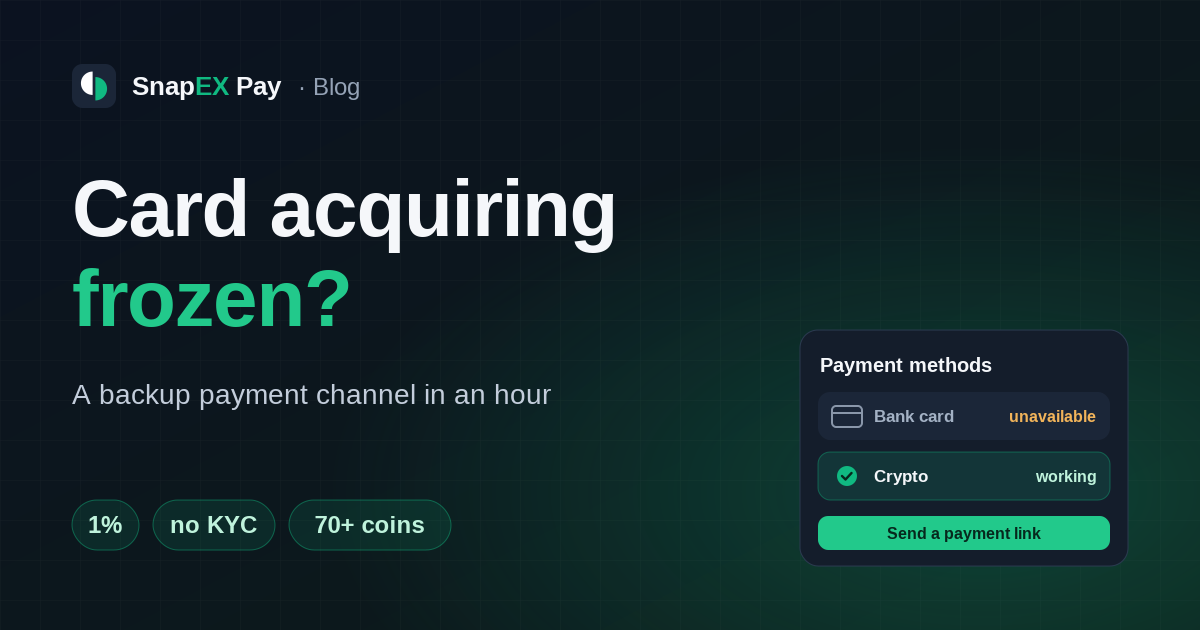
This article is for a shop or an online service whose bank or payment provider has frozen or switched off card acquiring: card payments fail, while buyers keep placing orders. Every such case has its own reasons and timelines, and you will have to sort them out with the bank — on its requests and in its order.
This is about something else: how to keep selling while that is going on. You need a second payment method that can be connected without a contract or a waiting period. SnapEX Pay is a crypto payment gateway: sign-up with no documents, and no KYC or KYB, for you or for your buyers. It is not a way around the bank's checks and not a substitute for answering its requests — it is a separate payment channel next to your main one. Rules on accepting crypto and on taxes differ from country to country, so check with a lawyer what applies to your business.
- 0documents: a merchant account needs only a login and a password
- 1%per payment, with no monthly or setup fee
- USDTmerchant balance, payouts to your address with no holds or reserves
First, three things that don't depend on the payment channel
- Find out from the bank or provider what is going on. Ask for the reason, the list of documents they need and when to expect an answer. Answer them on the merits — a second payment method doesn't replace that.
- See which orders got stuck. Export the orders of the last few days with the statuses "awaiting payment", "payment failed" and "paid" — you will need them below.
- Don't promise buyers dates you don't know. It is enough to say that card payment is temporarily unavailable and there is another way to pay.
A one-hour plan: a backup channel next to the main one
From sign-up to the first payment
- Step 1Merchant account. A login and a password on pay.snapex.pro — no documents and no business review.
- Step 2How to accept. A payment link from the dashboard — no code; a plugin or the API — if your shop runs on a supported platform.
- Step 3Test invoice. Test mode: the payment confirms by itself in about 10 seconds, no money needed.
- Step 4A note to buyers. On the site, in the bot and in emails about stuck orders.
SnapEX Pay accepts crypto only: buyers without a crypto wallet or an exchange account won't be able to use it.
Step 1. Create a merchant account
Sign up at pay.snapex.pro: you need a login and a password; an email and Telegram are optional. An account on the snapex.pro exchange works too — it is the same account. There are no documents, selfies or business checks, neither at sign-up nor later.
Read the merchant rules right away: they list what can't be sold through SnapEX Pay.
Step 2. Pick the fastest way to accept payments
- Today
A payment link from the dashboard
In "Invoices", click "New invoice", enter the amount in USD and send the link to the buyer. No code and no access to the site needed.
Fits stuck orders and the first days while the main channel is down.
- Plugin
A plugin for your platform
15 free ready-made plugins: WooCommerce, CS-Cart, WHMCS and others. Crypto shows up at checkout next to cards, and the order is marked paid by itself.
Fits when there are many orders and sending links by hand is a chore.
- API
Your own site, bot or app
One request creates an invoice with a payment link; a webhook reports the payment.
Fits when you have your own checkout and a developer at hand.
- No code
A fixed address
An address that doesn't change: put it on your site or in your profile. Any transfer from $0.50 is credited to your balance by itself, no invoice needed.
Fits donations and top-ups where you don't need to know who exactly paid.
Short on time — start with links from the dashboard and add a plugin later: the balance and payouts are shared by all methods. The list of platforms is in the plugins section.
Step 3. Check everything on a test invoice
In the dashboard, open "Invoices" and switch the mode to Test. Create an invoice, open the link and pick any coin — the test payment confirms by itself, nothing needs to be sent. If you installed a plugin, place a test order on your site and make sure it becomes paid.
Then switch to Live. In a real invoice, set:
- The amount in USD — from $0.50. USDT TRC20, ERC20, BEP20, plus LTC, ETH and TRX are available from this amount; other coins appear in invoices from $8.
- Who pays the fee — you (1% is deducted from the amount) or the buyer (1% is added on top).
- Invoice lifetime — for example, 24 hours for stuck orders: a buyer may need time to buy the coin.
- External ID — the order number, so you can match the payment later.
The buyer picks one of 70+ coins and a network and sees the address, a QR code and the exact amount. To avoid watching the dashboard, click "Connect Telegram": @snapexpay_bot will message you about every payment.
Step 4. Tell your buyers
A short, calm note is enough — no details about the bank. For example, on the checkout page or in the bot:
Sample text for the site
Card payment is temporarily unavailable. You can pay for your order in crypto — USDT or another coin.
To a buyer with a stuck order — the same in person, with a link to an invoice for their amount and the order number.
What to do with stuck orders
- Not paid
The card payment failed
Offer the buyer to pay in crypto and send an invoice link for the order amount, with the order number as the external ID.
One invoice per buyer — create a new one for the next order.
- Unclear
The payment status is unclear
If the card may have been charged, don't ask the buyer to pay again. First check the status with the bank or provider.
A double payment means an extra refund and an unhappy buyer.
- Paid
The payment went through, but the money is held
The order is paid — fulfil it as usual. The money question is between you and the bank.
No second invoice needed here.
- Expired
The buyer didn't pay in time
The invoice lifetime is over and no transfer came — create a new invoice for the same amount and send the link again.
The order number in the external ID keeps invoices from getting mixed up.
If the buyer sends less than the invoice amount — usually the exchange deducted its fee from the transfer — the invoice gets the "Underpaid" status, and the rest can be topped up to the same address within 72 hours. If it isn't, the part received is still credited to your balance. More in the guide "The customer sent less than the invoice amount".
Money arrives in USDT, payouts with no holds
A payment in any coin lands on the merchant balance in USDT. You can withdraw it from the dashboard right away, with no holds or reserves: to your crypto address, in USDT or another coin, confirmed with your password. There is no service fee on payouts, only the network fee; the minimum depends on the coin and is shown in the payout form.
Checklist
The backup channel is ready when
- The bank or provider has your request about the reason and timeline, and documents are being prepared.
- The rules for merchants are read, and your product isn't on the banned list.
- A test invoice or test order is paid in Test mode.
- Buyers see the second payment method on the site, in the bot and in emails.
- Stuck orders are sorted: who gets an invoice, where to check the card status first.
- Payment notifications are connected in Telegram.
- A lawyer has confirmed that accepting crypto is allowed for your business in your country.
When card acquiring is back
You don't have to switch crypto off. Keep SnapEX Pay as a second payment method: some buyers prefer to pay in USDT, and you'll have a backup channel ready if the main one stops again. How to start taking payments before you have a registered business — in the article "Accepting payments without a company".