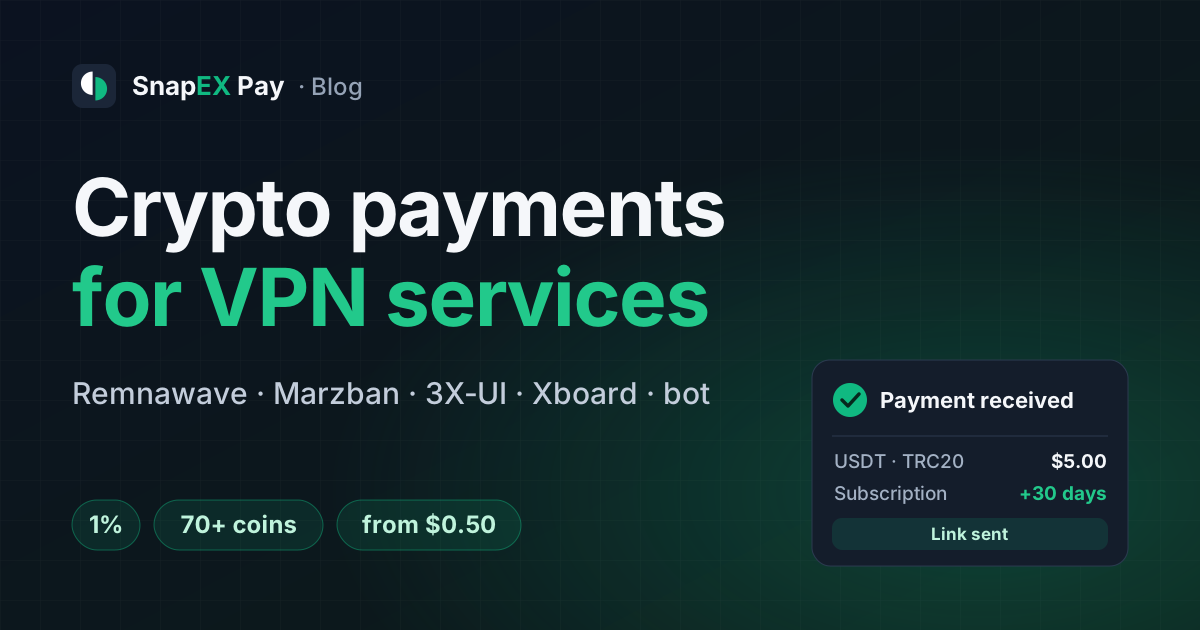
This guide is for VPN owners who sell subscriptions through a website, a panel or a Telegram bot and want to take crypto. Getting paid is only half of it: access should go out right away, with the user created or renewed in the panel and the subscription link sent to the customer, with no manual work.
Why crypto: the payment does not depend on which country issued the customer's card or which bank they use. SnapEX Pay asks for no KYC, from you or from your customers, and has no country restrictions. Rules on accepting crypto differ from country to country, so check with a lawyer how they apply to your service.
- 1%fee per payment, taken from the amount or added on top for the customer
- $0.50minimum invoice in USDT TRC20, ERC20 or BEP20, enough for a two-dollar plan
- 70+coins on the payment page; you receive everything in USDT
How a VPN subscription gets paid
From picking a plan to the subscription link
The module does not trust the webhook body. When a notification arrives, it reads the invoice again from the SnapEX Pay API and grants access only when the status is paid. The services for Remnawave, Marzban and 3X‑UI and the bot grant access once, even if the same webhook arrives twice or two copies arrive at the same moment.
Step 1. Pick the module for your panel
- Docker service
Creates an active user with an expiry date, traffic limit and internal squads, or extends an existing one, and returns the subscription link.
Remnawave 2.2+ and 3.x · download from pay.snapex.pro
- Docker service
A new user gets every protocol that has an inbound in your panel. An existing user is extended from the current expiry date.
Version 1.1.0 · download from pay.snapex.pro or GitHub
- Docker service
3X‑UI has no billing of its own, so the service adds a client to your inbound or extends it. UUID and subId stay the same, so the customer's config keeps working.
3X‑UI 2.x and 3.x · download from pay.snapex.pro
- Plugin
Installs from the Xboard plugin manager (for V2Board, a class in
app/Payments). The customer goes to the payment page and the order opens by itself.Version 1.3.0 · download from pay.snapex.pro or GitHub
- Bot
Plans are buttons in the chat, a button leads to the payment page, and the subscription link arrives in the same chat. Works with Marzban, 3X‑UI and Remnawave.
Runs on your server · download from pay.snapex.pro
- API
One REST API request creates an invoice and returns the payment page link. A signed webhook reports the status.
Same docs and test mode as the modules
The services for Remnawave, Marzban and 3X‑UI are a small container next to your panel. Your bot or site asks it for a payment link (POST /v1/checkout) and reads the order status and subscription link from GET /v1/orders/{invoice_id}. No bot yet? Use the ready Telegram VPN bot.
Step 2. Create a merchant account and an API key
- Sign up at pay.snapex.pro. An account on the snapex.pro exchange works too: it is the same account. No documents are needed.
- Create an API key with the
invoices.readandinvoices.writescopes. - Add a webhook URL. SnapEX Pay delivers webhooks only to a public
https://address, so put the container behind Caddy, nginx or Traefik. Save the signing secret inSNAPEX_WEBHOOK_SECRET. - Every notification is signed with HMAC-SHA256 and a timestamp. If your server does not answer, SnapEX Pay retries delivery, up to 5 attempts in total.
Step 3. Start the module and set your plans
For Remnawave, Marzban, 3X‑UI and the bot the order is the same: download the archive from the module page, fill in .env, run docker compose up -d and check /health. Plans live in one variable in the format id:days:usd_price:traffic_bytes, where 0 means unlimited:
PLANS=month:30:5.00:0,quarter:90:12.00:107374182400
Here a month costs $5 with no limit, and a quarter costs $12 with 100 GB of traffic.
- Remnawave: take the token from Remnawave Settings → API Tokens, not the admin login JWT. Put the UUIDs of internal squads into
REMNAWAVE_SQUADS: a user with no squad has no inbounds, so the subscription would be empty. - Xboard: Plugins → upload the ZIP → Install → Enable "SnapEX Pay". If your panel prices are not in US dollars, set the conversion rate. All settings are in the Xboard and V2Board guide.
Step 4. Test a purchase with a test invoice
Set SNAPEX_ENVIRONMENT=test (in Xboard, Environment = test in the payment method settings) and buy a plan yourself. A test invoice confirms itself about 10 seconds after a coin is chosen, and no real money moves. Check that the user appeared in the panel and the subscription link reached the customer. Then switch back to live: in Xboard a test invoice can't open an order while the payment method is live.
Step 5. Go live and set up payouts
- 1% fee.
SNAPEX_FEE_ON=merchanttakes it from the amount,customeradds it on top for the customer. - Coins for cheap plans. USDT on TRC20, ERC20 and BEP20, plus LTC, ETH and TRX, work from $0.50 per invoice; BTC works on small amounts when the network fee allows. Other coins, and USDT on Solana and other networks, are offered on invoices from $8.
- Full payment only. The module grants access for an invoice with the
paidstatus. If the customer underpays, the invoice waits for a top-up to the same address; otherwise it closes as partially paid, and the amount received is credited to your balance. - Invoice lifetime is 30 minutes by default, adjustable from 1 minute to 24 hours.
- Payouts. Your balance is in USDT; withdraw from the dashboard to a crypto address with no hold. There is no service fee on payouts, only the network fee; the minimum is $0.50 to $10 depending on the coin.
Minimum invoice by coin
- USDT TRC20 / ERC20 / BEP20, LTC, ETH, TRXfrom $0.50
- Other coins and networksfrom $8
Scale: $0 to $10. A $2–5 plan can be paid in the coins of the first row.
Renewals and an in-bot balance
A repeat payment does not create a second user: the days are added to the current expiry date, or counted from the moment of payment if the subscription has already run out. The traffic limit is set by the plan paid for, so the customer gets a fresh quota. More in the guide on VPN subscription renewals.
If your bot keeps an internal balance, you can give each customer a permanent top-up address through the API, keyed by your customer's customer_id. Networks: USDT on TRC20, ERC20, BEP20 and Polygon, USDC on Polygon, BTC, LTC, ETH and TRX. Top-ups are credited in USDT minus the usual fee, the minimum is $0.50, and each one triggers a webhook. The ready modules work with invoices; permanent addresses are connected through the API.
Checklist before launch
Before you offer crypto to customers
- Module chosen for your panel: Remnawave, Marzban, 3X‑UI, Xboard or the Telegram bot.
- API key with
invoices.readandinvoices.writecreated, webhook pointed to anhttps://URL, signing secret saved. - Plans in
PLANS(or prices in Xboard) match what the customer sees. - Remnawave: API token and squads set, so a new user's subscription is not empty.
- Test purchase with
environment=testpassed: the user was created once and the link arrived. - Fee: decided who pays the 1%, you or the customer.
- USDT payout address ready, and you know the payout minimum for your coin.
If you already have a payment method
You don't have to drop it: SnapEX Pay can sit next to it as a second option, and the customer chooses how to pay. An overview of all VPN modules is on the Crypto payments for VPN services page.